What is Traffic Escape?
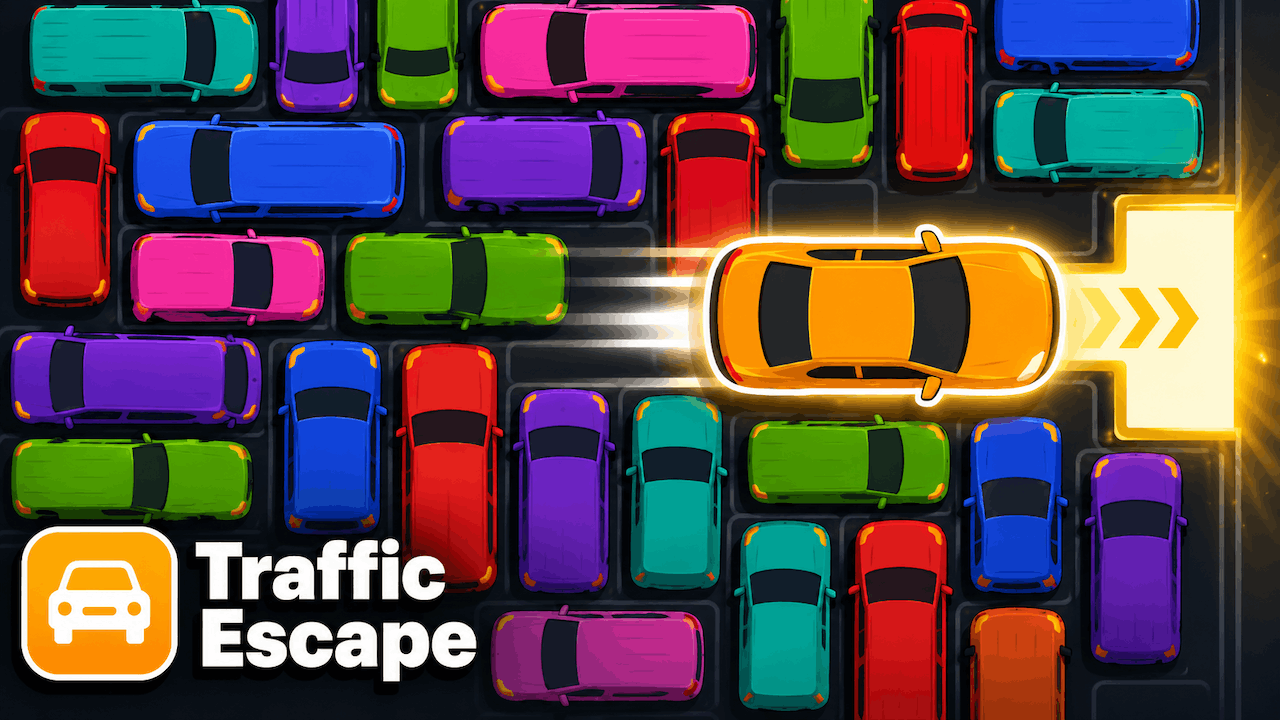
Traffic Escape is a gridlock puzzle. Slide the jammed cars and trucks out of each other's way to free your vehicle and clear a path to the exit.
How to Play
Traffic Escape is a sliding-block traffic jam puzzle. Cars and trucks are packed onto a grid, each locked to its own row or column. Drag them back and forth to open a lane, then guide your car all the way to the exit on the edge of the board.
Vehicles never turn — a horizontal car only moves left and right, a vertical one only up and down. The puzzle is figuring out which blockers to shuffle, and in what order, so your escape route opens without creating a new jam.
Later levels add longer trucks, tighter grids, and move limits that reward the cleanest solution. Use Undo to rethink a move or Restart to reset the jam completely.
Controls
- Select a vehicle: Click / Tap
- Slide it: Drag along its lane / Swipe
- Undo last move: Z or the Undo button
- Restart level: R
Tips and Tricks
- Find your exit first, then work out exactly which vehicles sit between your car and that gap.
- Long trucks are the hardest to reposition — plan their moves before you touch the small cars.
- Free up a whole empty lane early; it gives you room to park blockers out of the way.
- Fewer moves = a better score on later levels, so undo a sloppy slide instead of powering through.
Why People Love Traffic Escape
With a 4.4/10 average over 860 ratings, Traffic Escape has built a steady following among puzzle fans. The escape / 2d / unblocked vibe keeps each session fresh, and the short loop makes it easy to fit in between meetings, classes, or longer game sessions.
FAQ
- Is Traffic Escape free to play?
- Yes — Traffic Escape is completely free with no downloads, signups, or payments. It plays in your browser.
- Does Traffic Escape work on mobile?
- Yes. It supports touch and swipe controls on any modern mobile browser.
- How do you play Traffic Escape?
- Slide the blocking cars and trucks out of the way — each vehicle only moves along its own lane — until your car has a clear path to the exit.
- Will my progress be saved?
- Level progress is saved locally in your browser and resets if you clear your browser data.